Set up what you do
Create your Provider profile and configure your services.
For service providers
You already do the hard part — earning your customers’ trust. Vailor helps you manage more of what happens around the work and keep the relationship useful after the job is done.
You can do excellent work and send away a happy customer, but future work, customer context and the next conversation can still be easy to lose track of.
Keep more of the work around each customer organised, give your team better context, and let completed jobs remain useful after the invoice is paid.
A simple plan
Create your Provider profile and configure your services.
Create jobs, schedule work and keep the paperwork organised.
Keep useful customer, vehicle and job context connected.
See Vailor in practice
Practical tools for the work, the team and the context around every job.
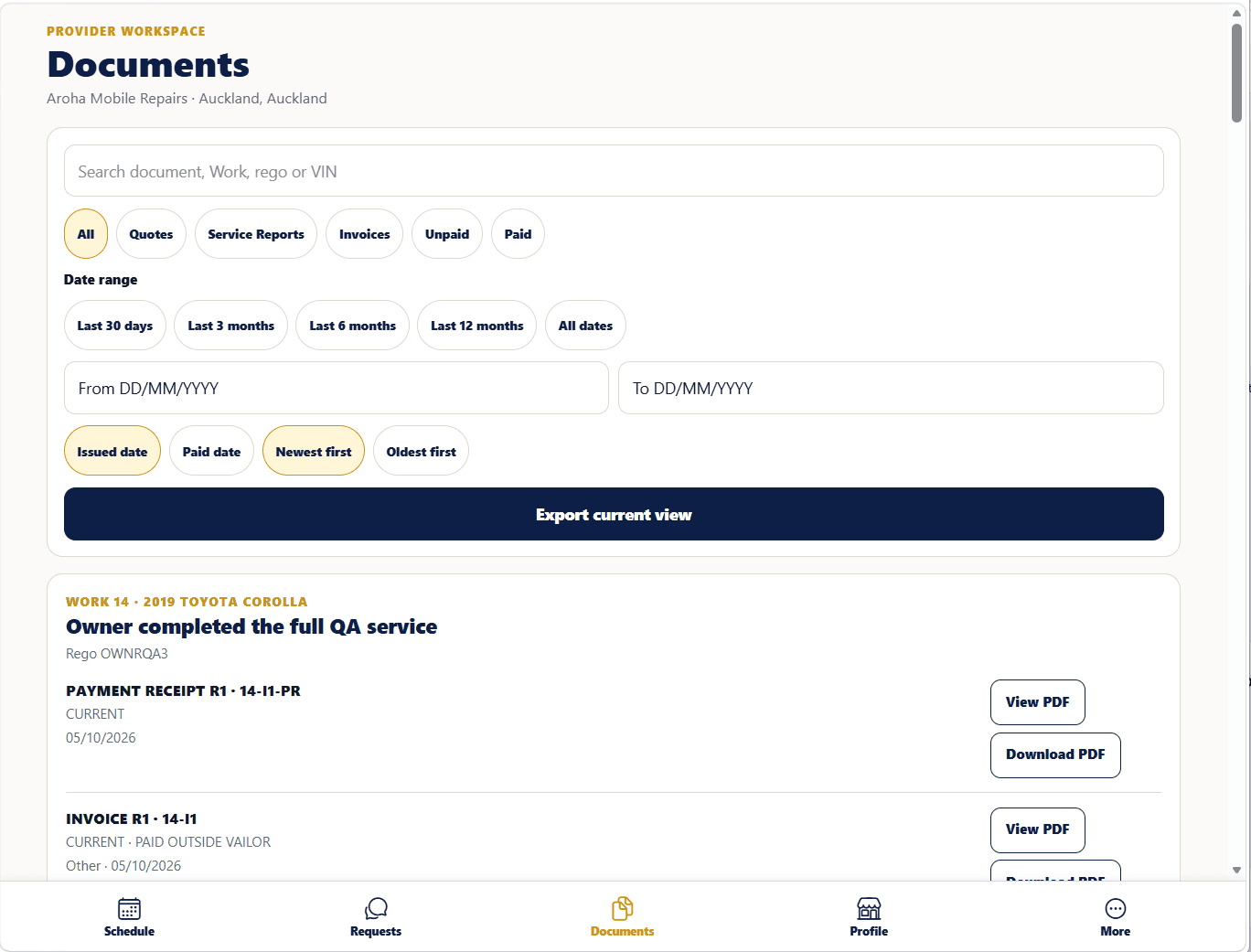
Keep jobs, scheduling and the paperwork around the work in one place.
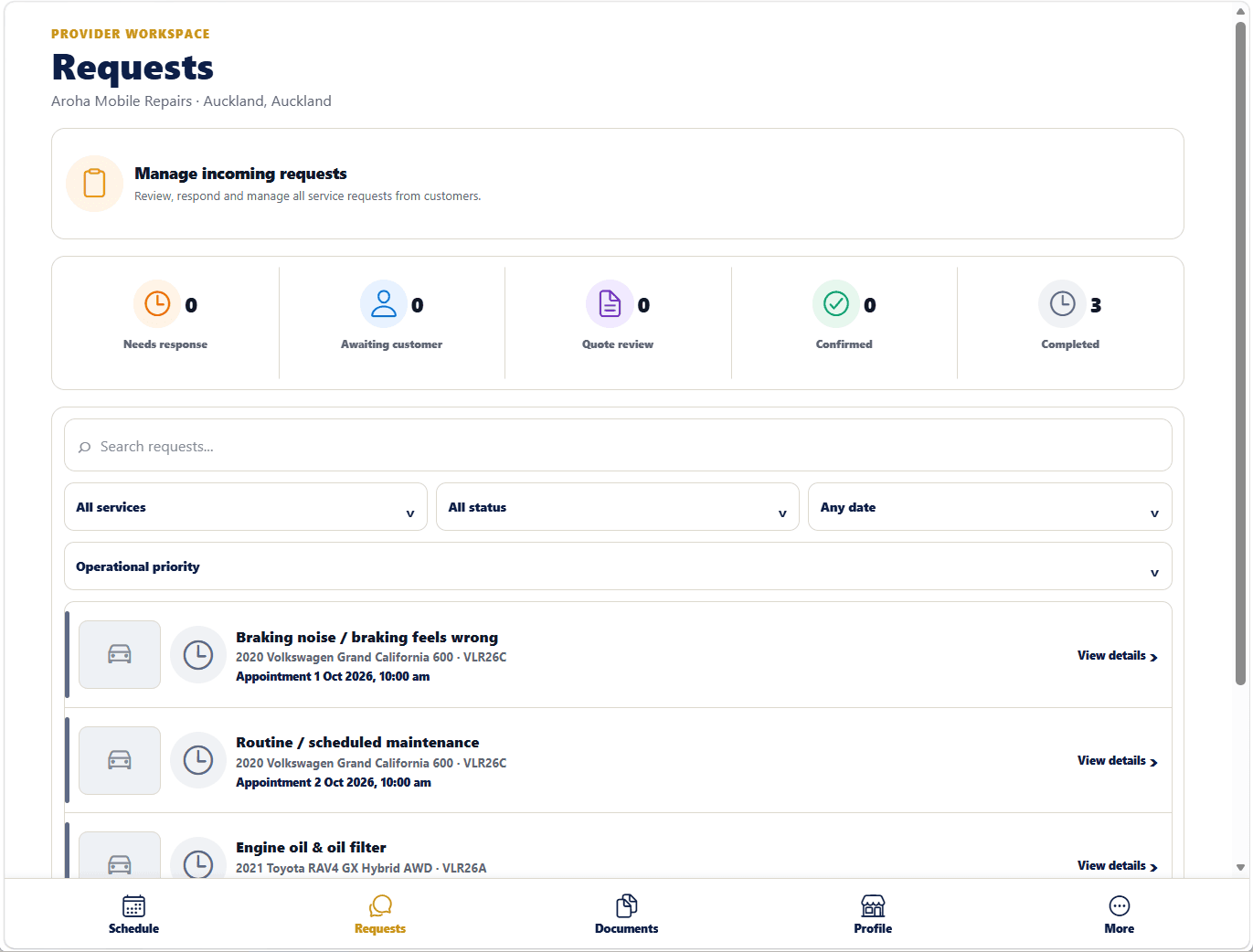
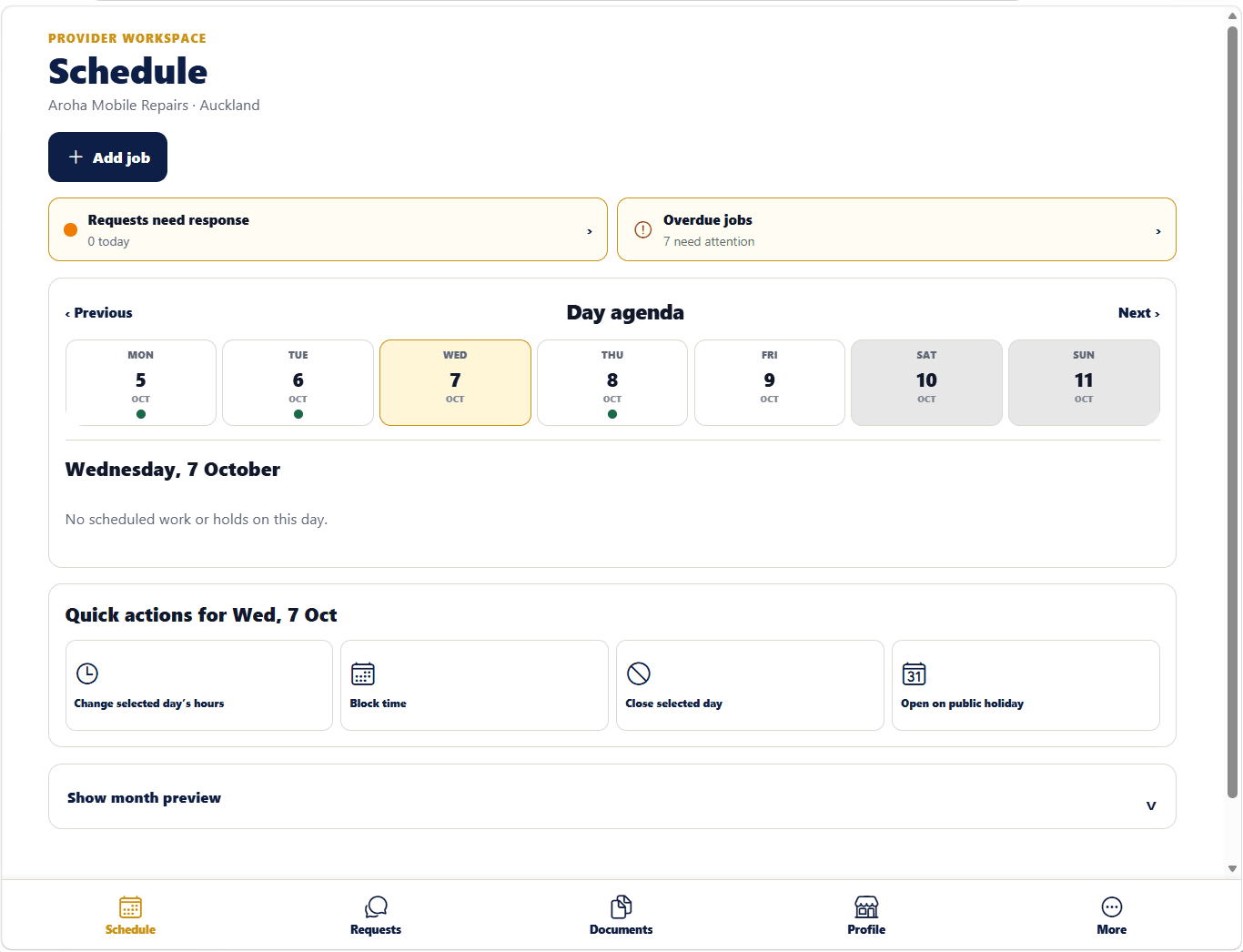
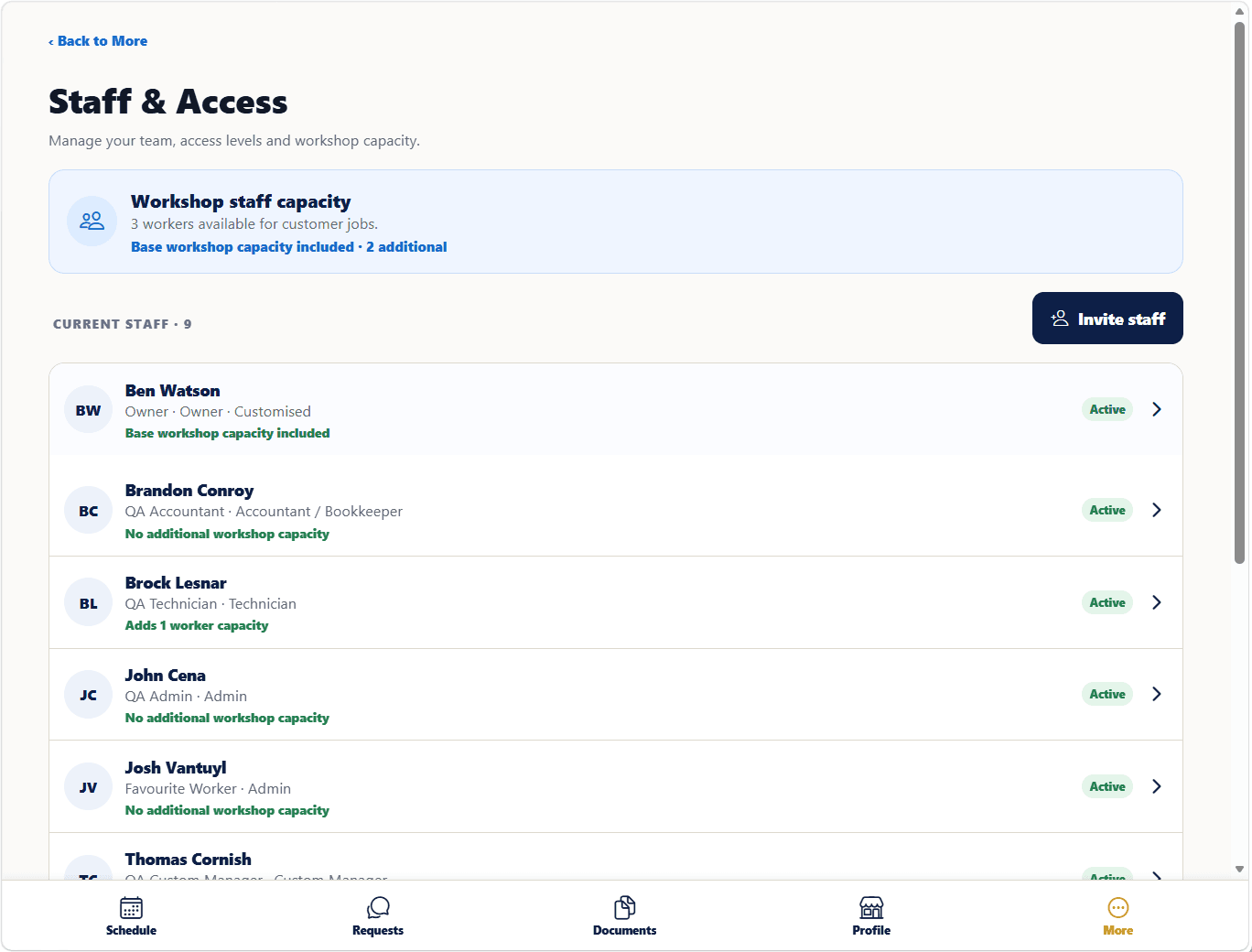
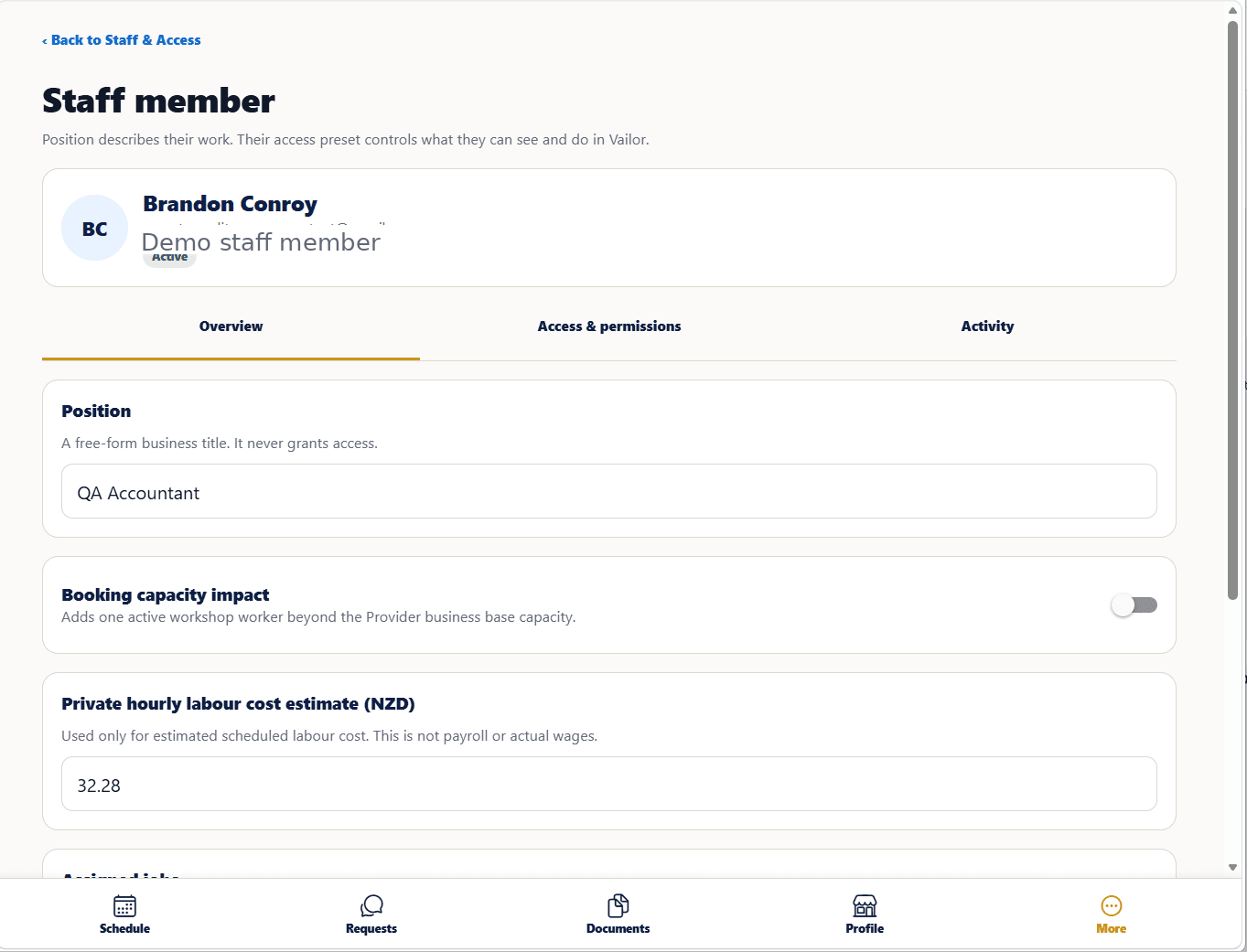
Give your team access to the work they actually need.
See more of what’s happening across your Vailor business activity.
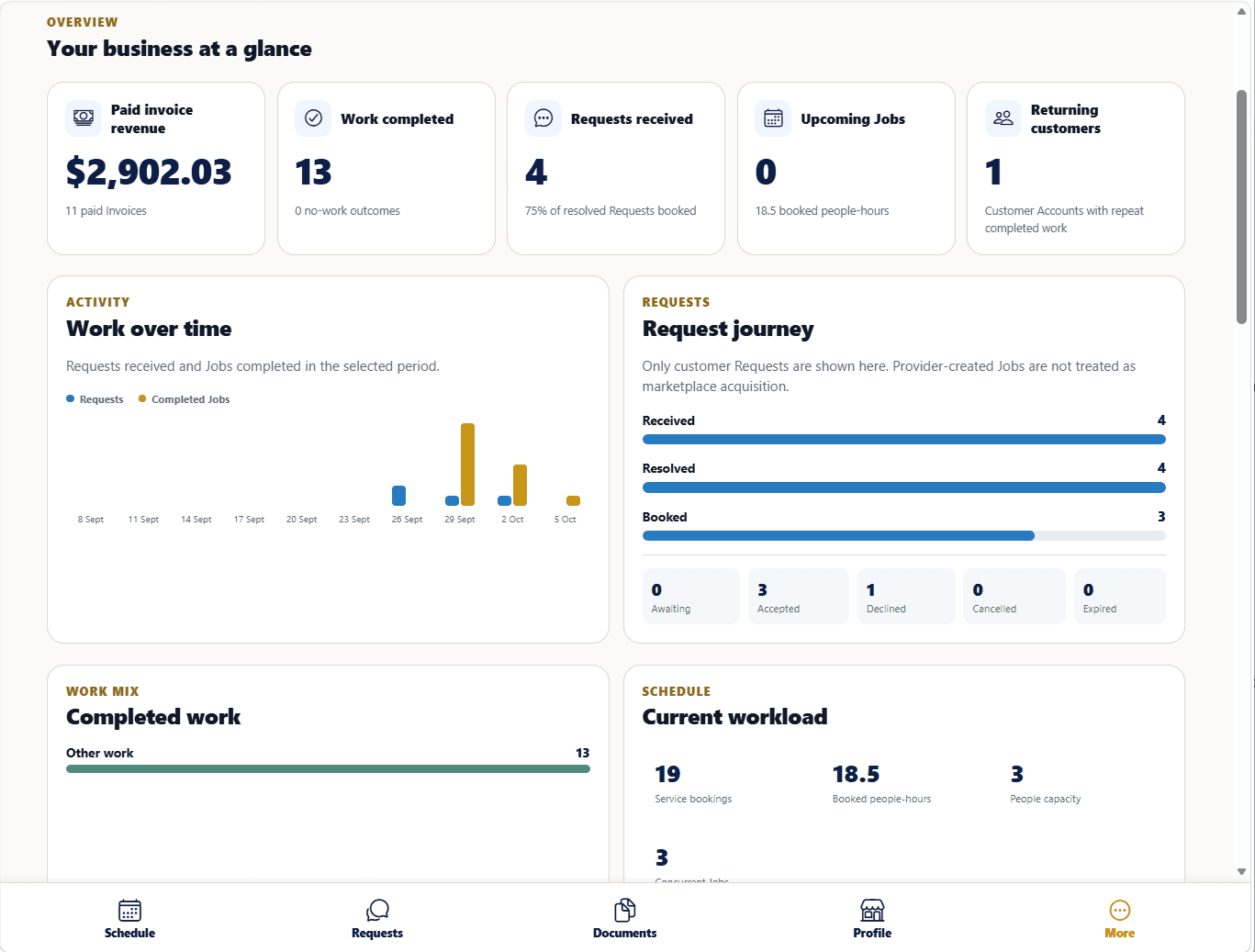
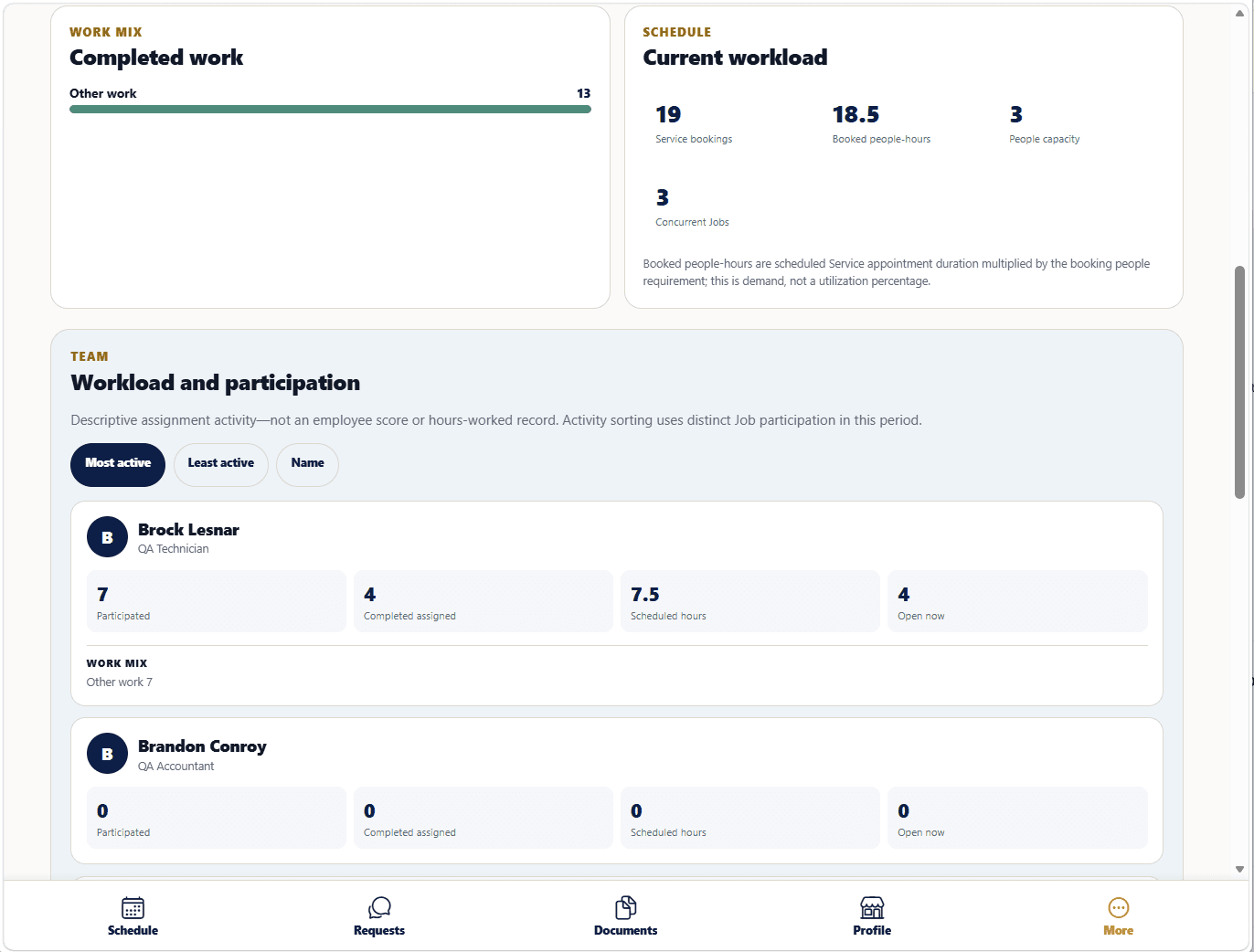
Keep the customer, vehicle and job context connected to the work.
Public prelaunch
Public accounts and application access are not available yet.
Provider Premium
Provider Premium is optional. You can use a Provider Free account without it.
Core scheduling, documents and filing are already available on Provider Free. Premium adds Staff & Access, analytics and a lower matching fee.
$49/month after the free month.
Card required. Provider Premium automatically renews at $49/month after the free month unless cancelled beforehand.
Give completed work, customer context and future needs somewhere useful to continue.
Without continuity, useful context and future opportunities are easier to lose track of.
Questions
Yes. Provider Free has a $0 monthly subscription and gives you the core Provider workspace.
A $10 matching fee applies to jobs matched to your business through Vailor.
No. Provider Premium is optional.
Provider Premium costs $49/month and is designed for businesses that want to bring their team into Vailor. It adds Staff & Access, analytics and lowers the matching fee to $7 per matched job.
Businesses running multiple Provider workspaces can use Provider Enterprise.
Yes. You can manually create, schedule and manage jobs for customers you already work with. They do not need a Vailor account for manual jobs.
If a customer chooses to create an Owner account, they can also request your services through Vailor.
Yes. Provider Premium and Provider Enterprise include Staff & Access.
You can add team members, manage roles and permissions, assign work and give technicians access to the jobs and schedules relevant to them. There is no staff limit.
No. Vailor supports 21 vehicle-service Provider types, covering much more than mechanical repair — including areas such as tyres and wheels, auto electrical work, inspections, detailing, vehicle glass, towing and other specialist vehicle services.
No. You can start with the parts of Vailor that are useful to your business now.
You can manually create existing customer jobs, use scheduling and documents, and add more of the Provider workspace as it becomes useful to your operation.